Reliable E2E Testing in React Native: A Maestro Guide for Expo Apps
Master reliable End-to-End (E2E) testing for Expo React Native apps with Maestro. Learn project organisation, deterministic Convex resets, and secure environment variable management.
End-to-End (E2E) testing isn’t the most exciting prospect when you’re working on an exciting new project, and it’s usually something I delay until later, preferring to manually check that things work. However, once things get more complicated, that process in itself becomes tiresome. When I arrived at that point with Amigo, I needed a way to ensure that everything was working correctly before I started adding anything beyond what I considered within the scope of the MVP.
Key Takeaways (TL;DR): To build a reliable E2E suite in Expo, use Maestro for its YAML-based simplicity. Organise tests into Flows and Subflows, and implement Deterministic Resets on your backend to avoid flakiness, and leverage Maestro's Variable Fallback syntax for frictionless local testing and fleixble CI/CD environment overrides.
For the web, my go-to is Playwright, a widely adopted E2E testing suite that, once you get over the initial hump, is quite straightforward. Upon searching for an equivalent for React Native, I came across Maestro, which is fairly similar, apart from the tests being constructed in .yaml files. The tests are straightforward to write using the GUI test composer and run in the CLI with all the nice ticks and crosses that are satisfying and enjoyable to watch.
1. Organising Your Maestro Test Suite
Maestro operates on a simple, powerful hierarchy that allows for a scalable setup. Here is how I structured my e2e/ folder in the project root:
- Flows: Your main test files. They describe a complete user journey from start to finish.
- Subflows: Small, reusable YAML files for common actions like
loginorlogout. You call these from inside your flows usingrunFlow. - Scripts: JavaScript files used for complex logic that YAML can't handle (like HTTP requests or math). You call these using
runScript.
e2e/
├── config.yaml          # Global settings (e.g. disableAnimations)
├── scripts/             # JS logic (e.g. database resets)
│   └── reset.js
├── subflows/            # Reusable "Lego blocks"
│   ├── login.yaml
│   └── reset.yaml
└── flows/               # Categorised flows
    ├── account/
    │   └── change_username.yaml
    ├── auth/
    │   ├── valid_login.yaml
    │   └── invalid_login.yaml
    └── tasks/
        ├── create_and_complete_task.yaml
        └── users/
            ├── create_partnership.yaml
            └── remove_partnership.yaml
The config.yaml Setup
This file tells Maestro which directories we want to use in our tests. We could simply use - flows/** to include everything, but listing them specifically gives us more control over adding new test groups or easily commenting out others. We can also set some platform-specific defaults to ensure stability and reduce flaky tests due to animations.
flows:
  - flows/account/**
  - flows/auth/**
  - flows/tasks/**
  - flows/users/**

platform:
  ios:
    disableAnimations: true
  android:
    disableAnimations: true
2. The Maestro Workflow: Studio vs. CLI
There are two ways to interact with Maestro, and they serve very different purposes:
-
Maestro Studio (The Designer): Use it to design your tests visually. It provides a UI to inspect elements and debug interactions. I usually run individual tests here when designing, but note that it can be a bit flaky when running your entire suite—sometimes encountering errors that the CLI doesn't. You can reference the Maestro Command Documentation while in the Studio to quickly build out your flows.
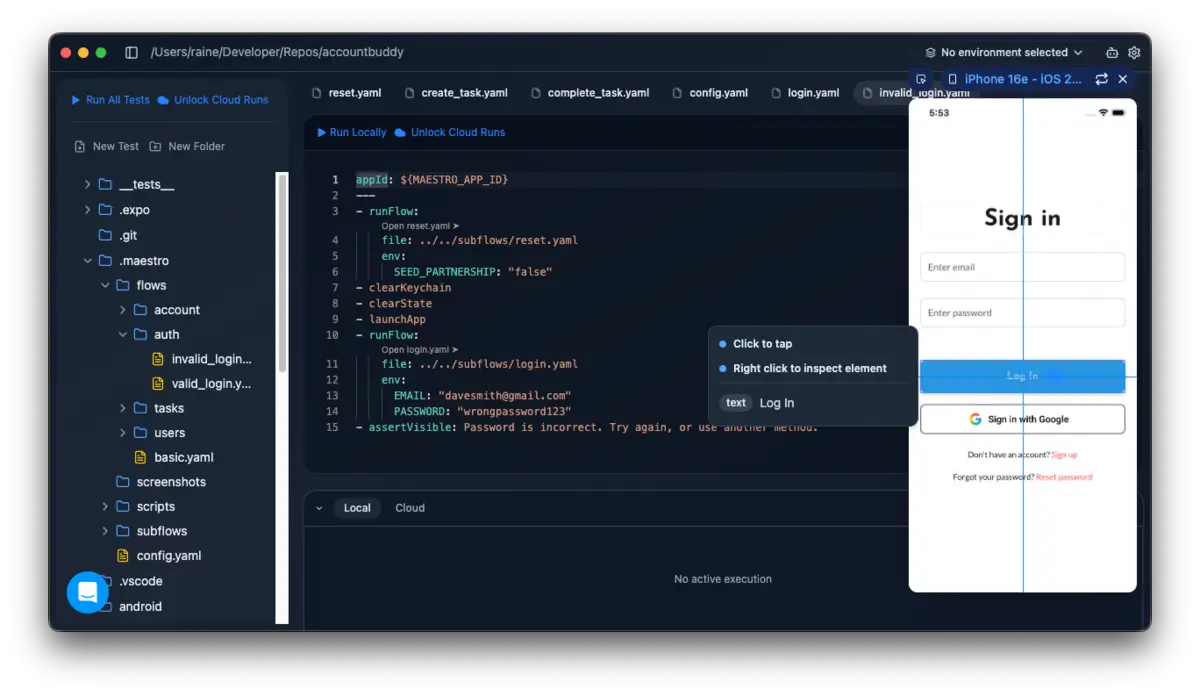 Visualising the design phase in Maestro Studio.
 -
Maestro CLI (The Runner): Essential for running ALL of your tests. Here you can inject global CLI variables via a script in your
package.jsonor withdotenv-cli(which we'll cover later in the article).
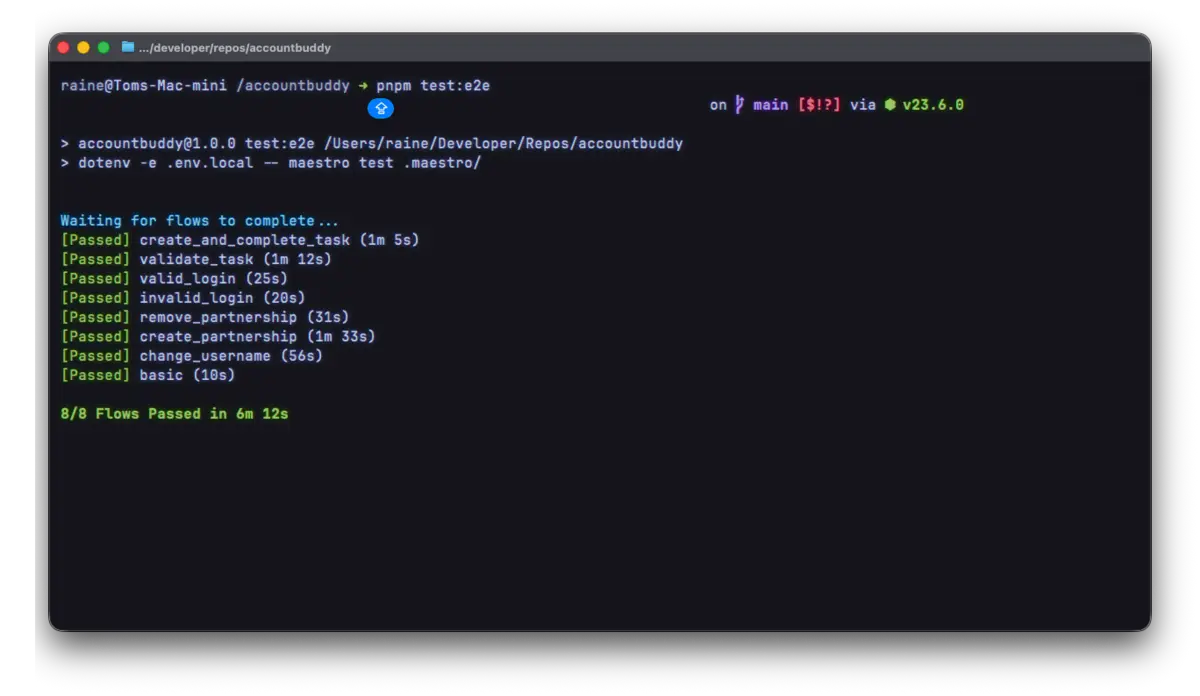 ✅ The satisfying output of a successful CLI test run.
3. Writing Your First Flow
This is what a flow looks like. It follows a specific user journey—in this case, a login sequence:
appId: ${MAESTRO_APP_ID || "com.anonymous.amigo"}
---
- tapOn: 'Log In'
- assertVisible: 'Sign in'
- tapOn: 'Enter email'
- inputText: ${EMAIL}
- tapOn: 'Enter password'
- inputText: ${PASSWORD}
- tapOn: 'Log In'
- waitForAnimationToEnd
Note that we are using a dynamic secret MAESTRO_APP_ID. The appId will differ in production to what you define in the Apple App Store or Google Play Store, and your updated Expo app.json file.
4. Resetting the Database for Deterministic Testing
Tests are only as good as their starting state. To avoid flakiness, I implemented a "Deterministic Reset" pattern. Before every test run, I reset my Convex backend to a known state using a custom script. The reset endpoint on the backend is set to only be available in development builds to ensure that production data is not accidentally wiped.
// e2e/scripts/reset.js

const url = 'https://example-rainetech-1.convex.site/e2e/reset'

const response = http.post(url, {
  headers: { 'Content-Type': 'application/json' },
  body: JSON.stringify({
    emails: ['davesmith@gmail.com', 'sarahstone@gmail.com'],
    seedPartnership: SEED_PARTNERSHIP !== 'false',
  }),
})
I call this script within a reset.yaml subflow, ensuring the database is perfectly seeded before the test begins.
appId: ${MAESTRO_APP_ID:-com.anonymous.accountbuddy}
---
- runScript:
    file: ../scripts/reset.js
    env:
      SEED_PARTNERSHIP: ${SEED_PARTNERSHIP}
You could call the script in each test with runScript but I think this is more managable.
5. Managing Environments & Secret Injection
Testing locally should be frictionless, but CI/CD requires flexibility. Here is how we can handle variables for our tests:
Zero-Config Local Testing
We've implemented a fallback for the appId at the top of all of our flows and subflows that works without any environment variables.
appId: ${MAESTRO_APP_ID || "com.anonymous.accountbuddy"}
CLI Injection
When running on a CI runner or targeting a specific build, you can override any variable via the CLI. You can set the global environment variables for a testing session in your package.json script, on your CI/CD test runner, or just when running the tests in the CLI using the -e flag and the variable:
maestro test -e APP_ID=com.example.app e2e/
Secure Secret Management
Maestro doesn't load .env files automatically. To use secrets (like an API endpoint secret) without hardcoding them, use dotenv-cli.
- Install the utility:
pnpm add -D dotenv-cli - Define your script in
package.json: - Define the environment variable in your
.env.local, e.g.,MAESTRO_API_SECRET=example.
"test:e2e": "dotenv -e .env.local -- maestro test e2e/"
This bridges your .env.local into the Maestro process, allowing you to use ${MAESTRO_API_SECRET} inside your reset.js script securely.
6. CI/CD Integration and Expo EAS
In order to run these tests using GitHub Actions you'll need a Maestro Cloud subscription (Maestro Cloud Documentation), which is rather costly if you're just starting out. There are other options but that is beyond the scope of this article and is something I may touch on in the future.
If you are using the Expo ecosystem, you can also leverage Expo EAS for running E2E tests in a managed environment. For a deep dive into EAS workflows, check out the official Expo E2E testing guide. But for now this should be a good localised setup for your E2E testing.
Conclusion
By utilising a centralised reset logic, leveraging reusable subflows, and dynamically setting secrets, you have a test suite that is scalable, secure, and easy to manage. The next step is using this workflow for test-driven development (TDD) as you build out new features for your mobile application.